Many people change their mobile numbers but forget to update them in their Aadhaar card. This can create problems later while using banking apps, OTP verification, government services, PAN linking, or downloading Aadhaar online.
If your old mobile number is inactive, you may also face issues while logging into UIDAI services. That is why keeping your Aadhaar mobile number updated is very important.
In this guide, you will learn how to update Aadhaar mobile number online at home, what is actually possible online, required documents, charges, common mistakes, and useful tips for beginners.
Why Updating Aadhaar Mobile Number Is Important
Your mobile number linked with Aadhaar is used for many important services such as:
- OTP verification
- Aadhaar authentication
- Online banking services
- PAN and Aadhaar linking
- DigiLocker login
- Government subsidy schemes
- Downloading e-Aadhaar
- Updating Aadhaar details online
If your mobile number is outdated or lost, you may not receive OTPs and verification messages.
Can You Update Aadhaar Mobile Number Fully Online?
This is one of the most common questions people ask.
The simple answer is: No, full mobile number update cannot be completed completely online from home right now.
According to the official UIDAI process, you must visit an Aadhaar Enrollment or Update Center for biometric verification.
However, some parts of the process can still be done online, such as:
- Booking an appointment
- Finding nearby Aadhaar centers
- Checking update status
- Downloading acknowledgement slip
So while the process starts online, biometric verification is still required physically.
Things You Need Before Updating Aadhaar Mobile Number
Before starting the process, keep these things ready:
| Requirement | Details |
|---|---|
| Aadhaar Card | Original Aadhaar card or Aadhaar number |
| New Mobile Number | Active number for OTPs and verification |
| Appointment Booking | Optional but recommended |
| Aadhaar Update Fee | Usually around ₹50 |
| Valid Presence | Biometric verification required |
Step-by-Step Process to Update Aadhaar Mobile Number
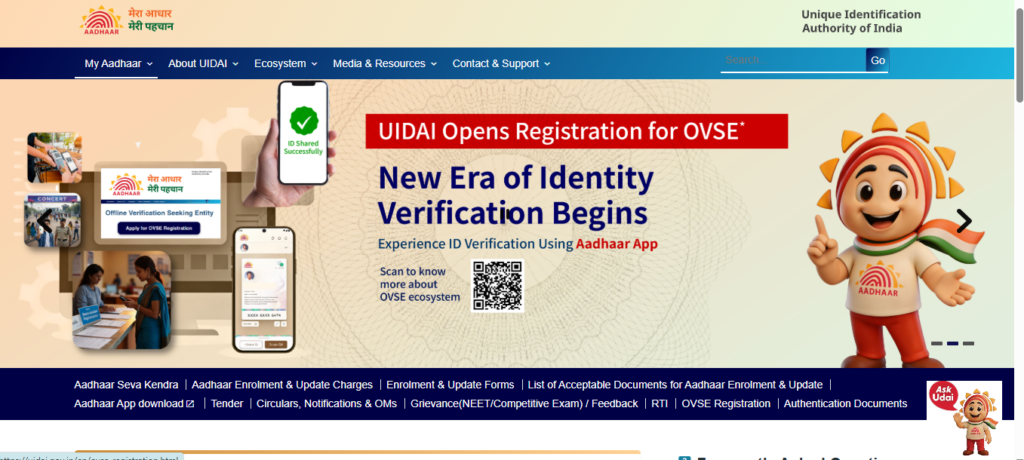
Step 1: Visit the Official UIDAI Website
Go to the official UIDAI website.
This is the official platform for Aadhaar-related services.
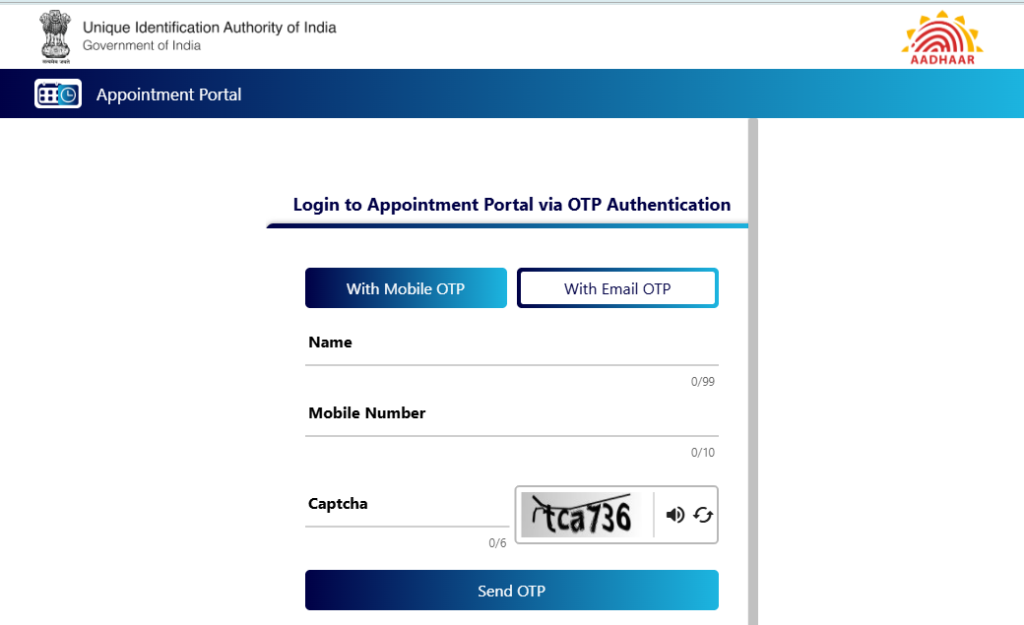
Step 2: Book an Aadhaar Update Appointment
On the UIDAI homepage:
- Click on “My Aadhaar”
- Select “Book an Appointment”
- Choose your city or nearby Aadhaar Seva Kendra
- Enter your mobile number
- Verify OTP
- Select “Mobile Number Update”
Booking an appointment helps save time and avoids long queues.
Step 3: Visit the Aadhaar Seva Kendra
On your appointment date:
- Carry your Aadhaar card
- Carry your new mobile number
- Visit the selected Aadhaar center
The operator will:
- Enter your new mobile number
- Take biometric verification
- Capture fingerprint or iris scan
- Generate acknowledgement receipt
Step 4: Pay the Update Fee
Usually, the Aadhaar mobile number update fee is around ₹50.
Always collect the receipt after payment.
The receipt contains:
- Update Request Number (URN)
- Date of request
- Tracking details
Step 5: Wait for Verification
After submission, UIDAI verifies your request.
The update may take:
- Few hours in some cases
- Up to 7–30 days in normal situations
You will receive confirmation SMS once the mobile number is updated.
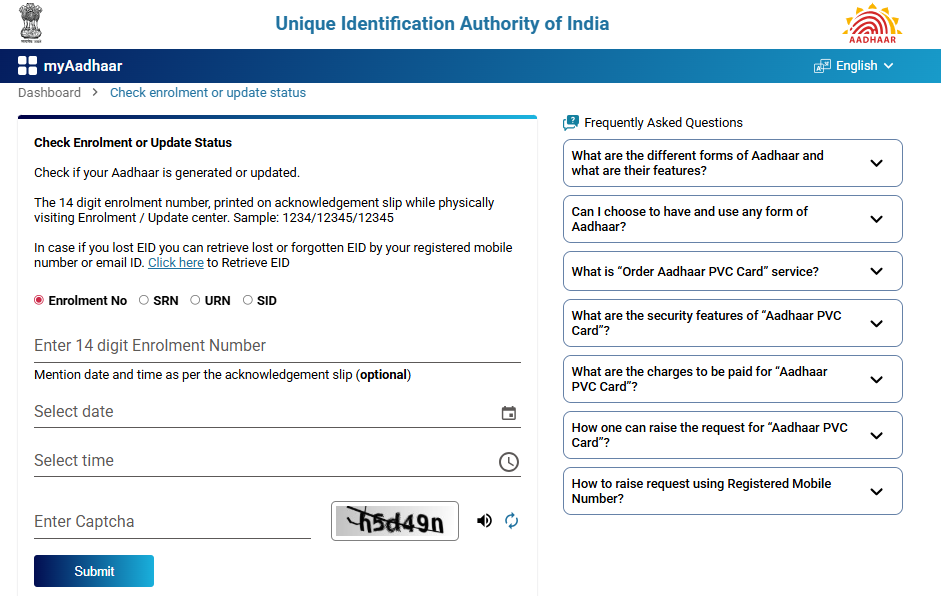
How to Check Aadhaar Mobile Number Update Status
You can track your Aadhaar update request online.
Steps to Check Status
- Visit UIDAI website
- Open “Check Aadhaar Update Status”
- Enter URN number
- Complete captcha
- Click submit
You will see:
- Pending status
- Approved status
- Rejected status
What If Your Old Mobile Number Is Lost?
Many users worry because they no longer have access to their old number.
The good news is that the old number is not always required for updating.
You can still update your Aadhaar mobile number by visiting the Aadhaar center and completing biometric verification.
This is helpful for users who:
- Lost SIM card
- Changed phone number years ago
- Closed old number permanently
- Switched telecom provider
Common Mistakes People Make During Aadhaar Mobile Number Update
Avoid these common mistakes to prevent delays.
1. Entering Wrong Mobile Number
Double-check the new number before submission.
A small typing mistake can link someone else’s number to your Aadhaar.
2. Not Keeping the Acknowledgement Slip
The URN on the slip is important for tracking status.
Do not throw it away immediately.
3. Visiting Unauthorized Centers
Always use official Aadhaar centers only.
Use the UIDAI website to locate valid centers.
4. Ignoring SMS Updates
After updating, keep checking SMS notifications from UIDAI.
You may receive:
- Update confirmation
- Rejection reason
- Additional instructions
How to Find Aadhaar Enrollment Centers Near You
You can search nearby Aadhaar centers through UIDAI.
Steps
- Open UIDAI website
- Click “Locate Enrollment Center”
- Enter:
- PIN code
- City
- State
You will get:
- Center address
- Timings
- Availability
Aadhaar Mobile Number Update Processing Time
Here is a quick overview:
| Process | Estimated Time |
|---|---|
| Appointment Booking | 5–10 minutes |
| Aadhaar Center Visit | 15–30 minutes |
| Verification Process | Same day |
| Final Update | 7–30 days |
Can You Update Aadhaar Mobile Number Without Documents?
Yes, in most cases you do not need separate documents for only mobile number update.
Biometric verification is usually enough.
However, carrying your Aadhaar card is still recommended.
Benefits of Keeping Aadhaar Mobile Number Updated
Updating your Aadhaar mobile number helps in many ways.
Easy OTP Verification
You can quickly receive OTPs for:
- Banking
- PAN linking
- Government services
Better Security
A linked mobile number improves Aadhaar account security.
You receive alerts whenever Aadhaar-related activity happens.
Access to Online Aadhaar Services
You can:
- Download e-Aadhaar
- Lock or unlock biometrics
- Update details online
- Verify Aadhaar
Troubleshooting Tips If Aadhaar Update Is Delayed
Sometimes users face delays. Here are simple solutions.
Check Status Regularly
Use the URN to monitor progress online.
Wait for Standard Processing Time
Some requests take longer due to verification load.
Wait at least 7–10 days before worrying.
Contact UIDAI Support
If your request is stuck for a long time, contact UIDAI support.
Visit the Aadhaar Center Again
If the update fails, revisit the same center with your acknowledgement slip.
Difference Between Aadhaar Mobile Update and Other Aadhaar Updates
| Aadhaar Update Type | Online Possible | Biometric Needed |
|---|---|---|
| Address Update | Yes | No |
| Mobile Number Update | Partial | Yes |
| Name Update | Partial | Sometimes |
| Date of Birth Update | Partial | Sometimes |
This table helps beginners understand why mobile number updates are different.
Is It Safe to Update Aadhaar Mobile Number?
Yes, the official UIDAI process is secure.
However, avoid:
- Fake websites
- Third-party agents
- Unknown apps
- Social media scams
Always use the official UIDAI platform only.
Tips for Faster Aadhaar Mobile Number Update
Here are some useful tips:
- Book appointment in advance
- Visit during non-peak hours
- Carry original Aadhaar card
- Keep new mobile active
- Save acknowledgement receipt safely
These small steps can save a lot of time.
Frequently Asked Questions (FAQs)
1. Can I update Aadhaar mobile number completely online?
No, biometric verification at an Aadhaar center is currently required.
2. How much does Aadhaar mobile number update cost?
The fee is usually around ₹50, but it may vary slightly depending on service policies.
3. How long does Aadhaar mobile number update take?
Usually between 7 to 30 days after verification.
4. Can I update Aadhaar mobile number without old number?
Yes, you can still update it through biometric verification at an Aadhaar center.
5. Do I need documents for Aadhaar mobile number update?
Normally, biometric verification and Aadhaar details are enough.
Conclusion
Updating your Aadhaar mobile number is important for smooth access to banking, government services, OTP verification, and online Aadhaar tools.
Although the full process cannot be completed entirely online at home, you can still save time by booking appointments online and tracking update status digitally.
Always use the official UIDAI website and keep your acknowledgement receipt safe until the update is completed. A correctly linked mobile number makes your Aadhaar services easier, safer, and more reliable.

Rani Singh is the writer and creator behind VKAdda.in. She enjoys creating simple, beginner-friendly content related to AI tools, tech fixes, and useful online guides. Her goal is to make technology easier to understand with clear explanations, practical solutions, and helpful step-by-step articles for everyday users.